Help
Q&A
Questions & Answers I expect new or experienced users to have about Vault Hollandia and its features.
Last updated: July 17, 2026
Getting started
What is Vault Hollandia?
A private vault for gold and silver stackers. You record every coin and bar you own, photograph your pieces, group them into collections, and watch what your stack is worth against live spot or premium prices, all from your own device. It's a tracker and a private catalogue, not a marketplace or a storage service. Nobody stores your metal; you do. This just keeps the record.
Is it really free?
Yes. No account, no subscription, no paid tier, no locked features. It's a passion project built by a stacker, not a company chasing revenue. If you ever want to support it there's an optional donation link, but nothing in the app is behind a pay wall.
Do I need an account or an internet connection?
No account needed. There's nothing to sign up for. You set a username, a PIN, and a recovery passphrase, and all of that stays on your device. The app works fully offline; the only thing it uses the internet for is fetching the current gold and silver price so your stack value stays up to date, and possible messages that come from me.
Features explained
A tour of what's in the app, screen by screen. The mechanics behind the chart and the alerts are explained in How it works.
The dashboard
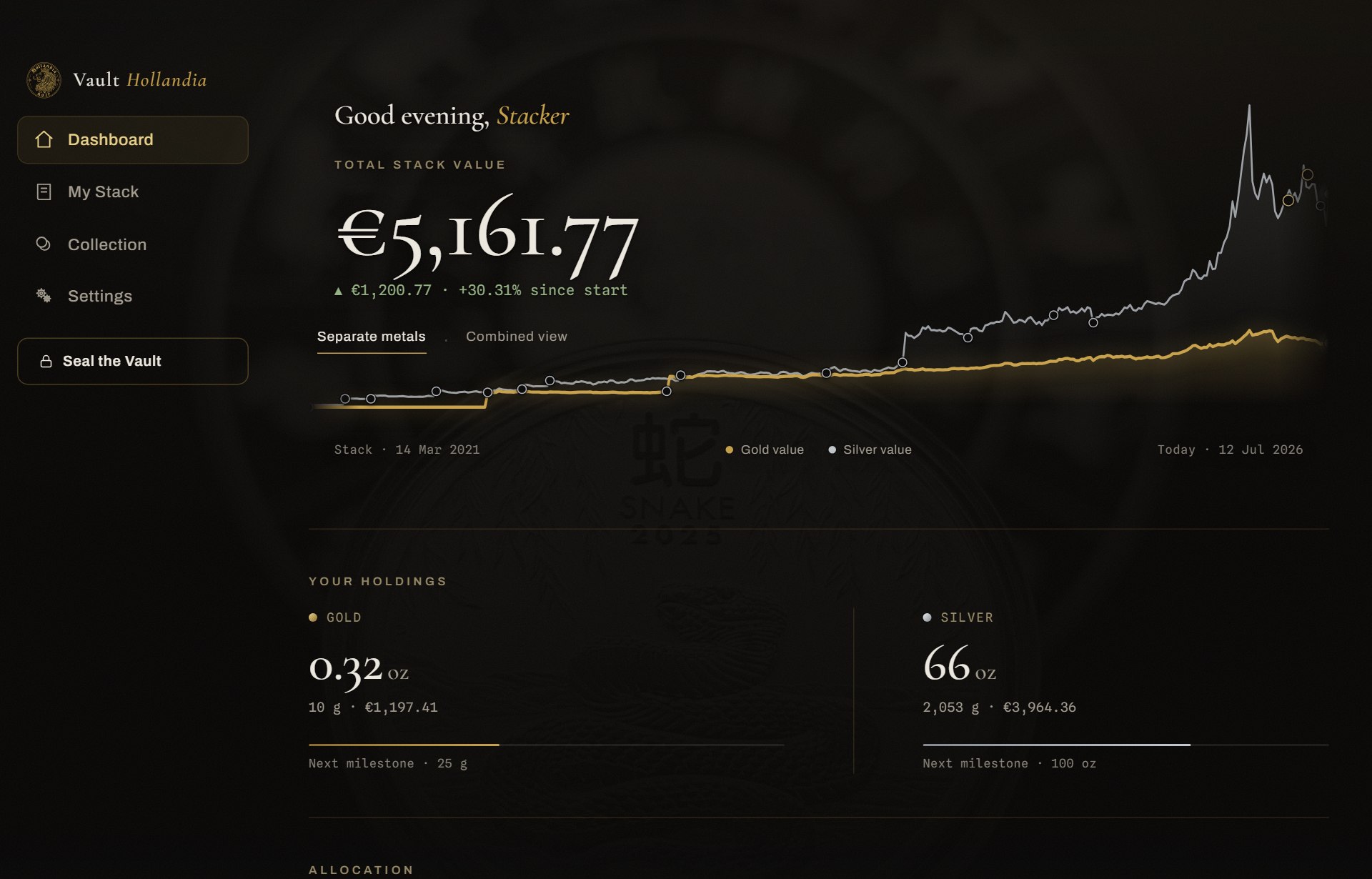
The first thing you see after unlocking: your total stack value in large figures, how it compares to what you paid, and the value chart that grows step by step as you bought. Below it, your holdings per metal, the gold/silver allocation ring, and your next milestones followed by a live market graph that's updated twice a day. One screen, the whole picture.
My Stack
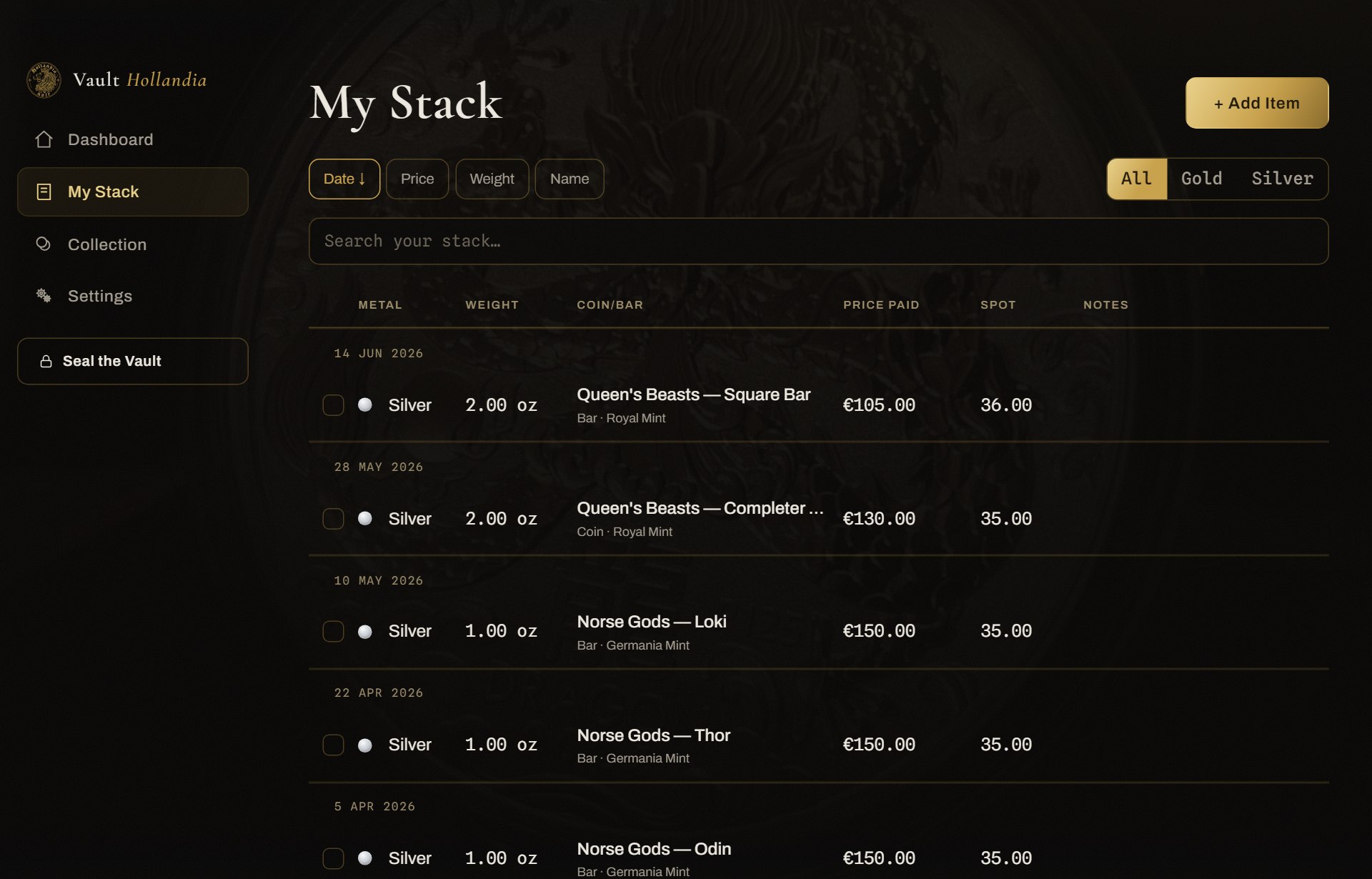
The ledger. Every coin and bar as a row: weight, purity, what you paid, the premium over spot, purchase date, notes, and what it's worth right now. Mark a piece as sold and it moves to its own section but stays in your history, so your charts keep telling the truth. If needed you can also delete a piece and every trace of it will be gone as if it was never there, in case you made a mistake.
Collections
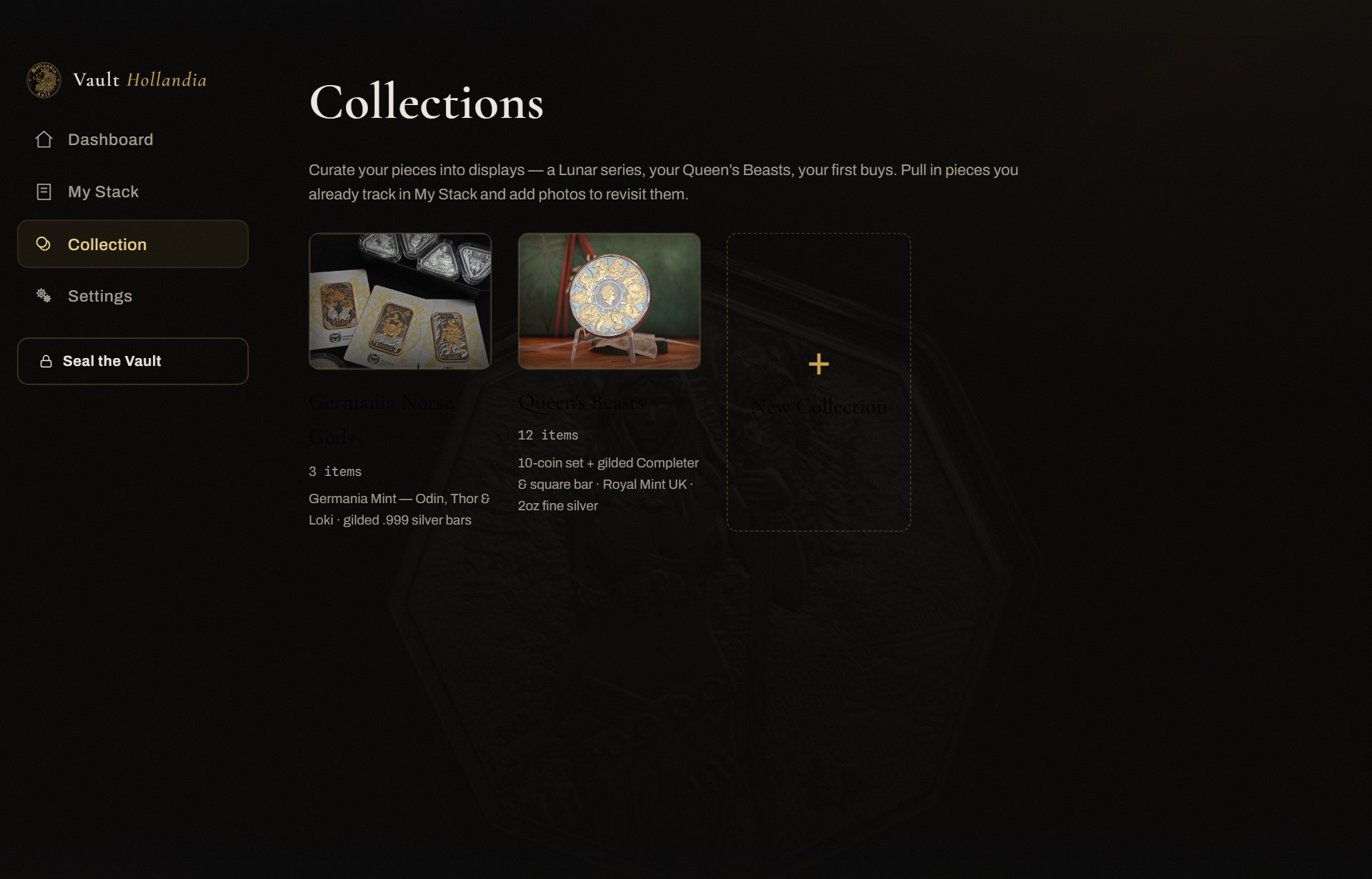
Group pieces into the sets they belong to: a Lunar series, your Britannias, a set of bars. With photos added, each collection becomes a private gallery of what you actually own. You can also set the value of your collection. This will be linked to the spot price of that day and tracked with it. This way you have an up-to-date estimated value of your collection. You can change this any time you want.
The Market chart
The raw gold and silver price with no reference to what you own. Toggle between gold, silver, and step through time ranges, and look up any specific date with the date picker. The history goes back 50 years.
Price alerts
Set a level for gold, silver, or the gold/silver ratio and the app notifies you when it's crossed. *Reminder: the prices in the app get updated twice a day.
Milestones and the streak
Just something to help you visualize the next weight goal to work towards, and a streak that tracks whether you've added anything this month. To motivate you to dollar cost average.
Photos
Add photos of both faces of every piece, in full resolution, encrypted with the same key as the rest of your vault. Imported from your own gallery.
Backups and export
One button produces a single encrypted file holding your whole vault: pieces, collections, and photos. Put it on a USB stick, keep it in a drawer, or move it to a new device and import it back into Vault Hollandia. Only your recovery passphrase opens it, and you set a fresh PIN on the new device.
Profiles
More than one person can use the same device: each profile is its own fully separate vault with its own PIN and recovery passphrase. Nobody sees anyone else's stack.
Make it yours
This app is built with the goal of becoming the tool every stacker/collector wants to use. So are you missing a feature or think something needs more attention PLEASE reach out and let me know!
Your stack
Gold and silver stack tracker.
This dashboard shows each metal's weight and value separately in one graph, and more metals will be added in the future.
Can I track coins and bars?
Both. Add each piece with its weight and purity, whether it's a 1 oz coin, a 100 g bar, or a 1 g gold card. The app keeps the running totals in ounces and grams for you.
What can I record for each piece?
Weight, purity, what you paid, the premium over spot, the purchase date, and your own notes, plus photos of both faces. You enter it once, and from then on the piece is repriced against live spot automatically.
Does it show what my stack is worth right now?
Yes. Every piece is valued against the latest gold and silver spot price, so your total moves with the market. You also see it against what you originally paid, so your gain or loss is always in view.
How it works
The parts that aren't obvious at a glance: what the dashboard is actually calculating, and how the pieces feed each other.
How does the live tracking actually work?
This is the bit most trackers get lazy about, so it's worth explaining properly.
A naive tracker takes what your stack is worth today and draws that value backwards across the chart. That's a lie. It shows you owning everything from day one, and your "growth" is really just the metal price moving.
Vault Hollandia does it the honest way. The chart is accumulation aware: it knows what you owned on each individual day. The line starts at zero, one day before your very first purchase, and steps up each time you actually bought something. Every day along the line is your holdings on that day priced at that day's real spot, using genuine historical price data. So the shape you're looking at is the true story of your stack: the steps are you buying, the slopes are the market.
Gold and silver are tracked as separate lines, each climbing from its own first purchase. A piece you've marked as sold drops out. A piece with no date entered counts as always-owned, so it doesn't punch a hole in the curve.
What are the dots on the graph?
Two different kinds, and they do different things.
- Purchase dots sit along the line at every date you added a piece. Press one and it tells you exactly what you bought that day.
- The "now" dots are the ones at the very end of each line, the live tip. Press one and it shows today's value for that metal (or your combined total, depending on the view).
Everything on the chart is pressable, not just decorative.
Why do some dots have a number on them?
Because stackers buy in bursts. If you bought four pieces across one week, those dots would land on top of each other and turn into an unreadable cluster.
So dots that fall too close together merge into a single dot marked with a count (×2, ×3, and so on) positioned across the purchases it represents. Press it and you get the whole bundle, grouped by date, so nothing is hidden. A single-purchase dot and a merged one are ringed differently, so you can tell at a glance which is which.
What's the difference between "Separate metals" and "Combined view"?
Separate draws gold and silver as two lines so you can see each metal's own story. Combined merges them into one total line, your whole stack as a single number moving through time. Same data, different question. Both share one value axis, so if silver is worth more than your gold, the silver line sits higher.
What's the ring showing my gold/silver split?
Your allocation: how your stack divides between the two metals by value, not by weight. It's a sweep from silver to gold with your total in the middle. It's the quickest way to notice you've drifted more one way than you meant to.
What are the milestones and the streak?
Milestones are a ladder of weight targets. The next rung is always in view, with how far you have to go. Cross one and the app marks it. They're about weight, deliberately: ounces in hand don't care what the price did this week.
Streak just tracks whether you've added anything this month. It's a nudge, not a scold.
The Market chart and the dashboard chart look similar. What's the difference?
The dashboard chart is about your stack. The Market chart is about the metal: the raw gold and silver price with no reference to what you own.
It's one combined chart with a Gold / Silver / Combined toggle and a time range stepper. Hovering updates the price legend in place with a crosshair on that day, and there's a date picker to look up any specific day, including days outside the visible window, which resolve from the full price history.
How do price alerts work?
Set a threshold (gold above a price, silver below one, or the gold/silver ratio crossing a level) and the app tells you when it's crossed. A small background check runs on a schedule and fires a notification. That background check only ever knows your price targets: public market numbers. It has no access to your vault and never sees what you own.
An alert re-arms once the price moves back across the line, so it won't nag you repeatedly for the same event.
How do all the pieces fit together?
One number drives almost everything: the current spot price.
You enter a piece once: weight, purity, what you paid. From then on the app derives the rest. Spot arrives → your stack total reprices → the dashboard chart redraws with today's tip → holdings and the allocation ring update → milestone progress recalculates → any alert you've set is checked. Add a photo and the piece becomes part of your collection gallery too, the same record seen a different way.
That's the whole design: enter it once, and every view is just a different question asked of the same data, all of it computed on your own device.
Prices & value
Where do the prices come from?
From a live precious-metals price feed the app pulls in the background. It's used only to value your stack and draw the market chart. Nothing about your holdings is ever sent out to get them.
How often do prices update?
The reference price refreshes on a regular schedule (about twice a day on trading days, plus a refresh when you open the app). Precious-metal spot doesn't move by the second like crypto, so this keeps your value accurate without constant network chatter. This might also help you to prevent you from checking it every hour.
Does it work if I'm offline?
Yes. The app ships with recent price data built in and remembers the last prices it fetched, so it opens and values your stack even with no connection. It simply updates to the newest price the next time you're online.
What's the difference between spot value and what I paid?
Spot is the raw market price of the metal by weight. What you paid usually includes a premium: the bit over spot you pay for minting, design, and rarity. The app tracks all three, so you can see your stack's melt value, your cost, and the premium you're carrying.
Collections & photos
Can I photograph my pieces?
Yes, and it's one of the best parts. Add a photo of the obverse and reverse of every coin or bar and group them into the collections they belong to, a private gallery of what you actually own.
Are my photos private?
Completely. Photos are stored full-resolution and encrypted on your device with the same key as the rest of your vault. They never leave your device unless you export a backup yourself, and even then they stay encrypted inside that file.
Does the app use my camera?
No, not yet. Maybe for future features we do need it.
Privacy & security
Where is my data stored?
Only on your device. There's no server holding your stack, no cloud copy, no account database, because none of that exists. What you add lives in an encrypted vault on your own device and nowhere else.
Is my data encrypted?
Yes. Your whole vault (pieces, prices, notes, and photos) is encrypted with AES-256-GCM. The key is derived from your username, PIN, and recovery passphrase using PBKDF2, and it's never stored anywhere in a usable form. Without your credentials, the vault is an unreadable file, even to someone who copies the raw files off your disk.
Does anything ever leave my device?
Only three things, and none of them touch your stack: the app fetches the current gold and silver price, checks for occasional in-app announcements, and (on Windows) checks for updates. Those requests carry no personal data and no information about what you own. It's just a request for information that comes from my own server.
Do you track me or use analytics?
No. There is no analytics, no telemetry, no third-party tracking scripts anywhere in the app. Nothing is counting your taps or profiling you.
Am I completely anonymous?
Your holdings are: they never leave your device, so no one can see what you own. But be precise about the rest: like any app that loads live data, when it requests prices or updates, the server (and Cloudflare, and GitHub for Windows updates) can see the connection's IP address, the same as any website visit. That's ordinary connection metadata, kept for security and troubleshooting and not used to profile anyone. So: your stack is private and no account ties it to you, but "an app on this connection asked for prices" is not invisible. We'd rather tell you that plainly than claim more than is true. For that reason we advise you to use a VPN.
Can someone see my screen or take a screenshot of the vault?
On Windows and Android the app turns on screen-capture protection, so screenshots and screen recordings of the vault come out black. It also seals itself when your device locks or sleeps, and after a period of inactivity you set.
Can I unlock with my fingerprint?
On Android, yes. Biometric unlock is optional and off by default: enable it in Settings, confirm your PIN once, and from then on your fingerprint opens the vault. The PIN is stored in your phone's hardware security chip and can only be released by a fresh fingerprint; it never leaves the device. Your 6-digit PIN always keeps working as the fallback, and if the fingerprints on the device ever change, the app turns the feature off and asks you to enable it again.
Backups & recovery
How do I back up my vault?
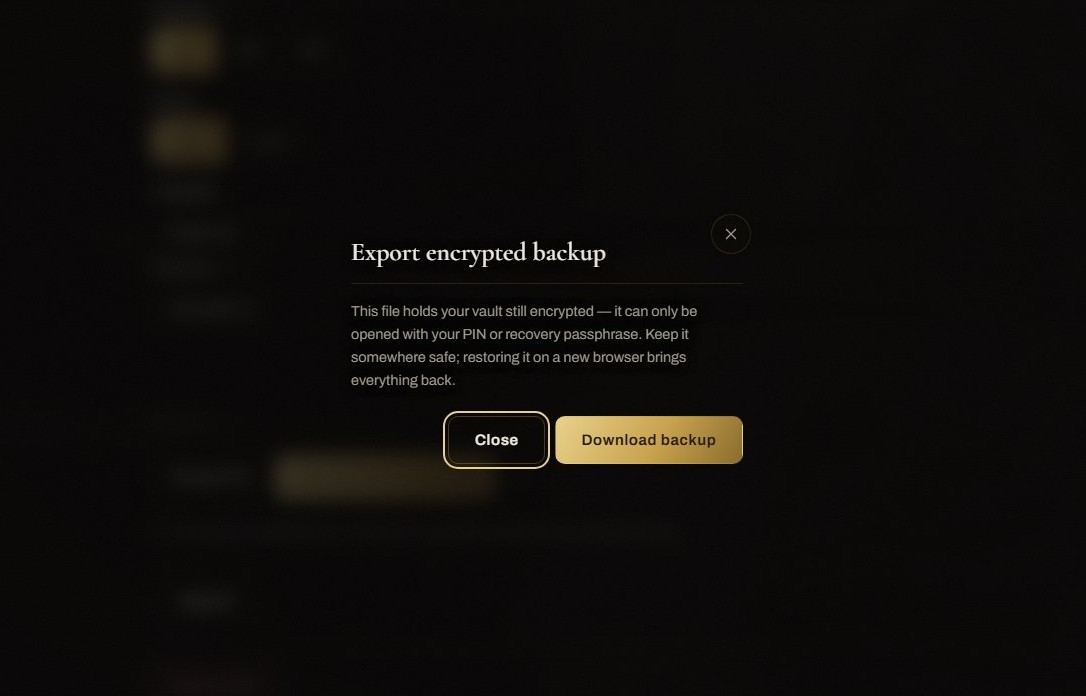
Export a backup from inside the app. You get a single encrypted file containing your whole vault (pieces, collections, and photos) that you can put on a USB stick, an external drive, or anywhere you like. It's the only copy that ever leaves your device, and only because you chose to make it.
Is the backup file safe if someone finds it?
It's encrypted with the same AES-256-GCM as the vault. Without a credential it's an unreadable file, so a lost USB stick isn't an open book.
The backup is protected by your recovery passphrase, not your PIN: the short 6-digit PIN never travels inside the file, so nobody who finds it can just try a million PINs against it offline. That makes the file exactly as strong as your passphrase, so make it a real one and keep the backup somewhere private (your own drive, a USB stick in a drawer), not sitting in a shared or public cloud folder. Full detail on the security page.
What happens if I forget my PIN?
Your recovery passphrase is the backup key. If you forget your PIN, you use the passphrase to get back in and set a new one. This is exactly why the app makes you set a passphrase when you start.
What if I lose both my PIN and my recovery passphrase?
Then the vault cannot be opened by you or by anyone, including us. That's not a flaw, it's the whole point: there's no master key, no "reset password" email, no backdoor. Real privacy means we genuinely can't get in. So write your recovery passphrase down and keep it somewhere safe, offline. Treat it like the key to a safe, because that's what it is.
Can I move my vault to a new device?
Yes. Export a backup on the old device, install the app on the new one, and import the backup with your recovery passphrase, then set a fresh PIN on the new device. Your stack, collections, and photos come across intact.
Installing & updates
Why does Windows warn me when I install it?
You may see "Windows protected your PC" and "Unknown publisher." That appears because the installer isn't code-signed yet. A signing certificate costs money, and this is an independent project. It's not a sign anything's wrong with the app. To install: click More info, then Run anyway. When donations make a certificate possible, that warning will go away.
How do updates work?
On Windows the app checks for new versions and lets you download and install them from inside the app, in your control. Nothing updates behind your back. When you update, your vault stays exactly where it is; updating never touches your data. On Android, updates come through Google Play like any other app.
Platforms
Which platforms is it on?
- Windows 10 and 11: available now, free, download here.
- Android: available now, free, on Google Play.
- iPhone / iPad: available now, free, on the App Store.
- Mac: not yet.
The aim is one private tracker across Windows, Android, and Apple, without tying you to any single ecosystem. These are the direction, not dated promises.
Troubleshooting
Prices aren't loading or my value looks wrong.
The app needs a connection to fetch the newest price. If you're offline it falls back to the last price it saw, so your value can look slightly stale. It'll correct itself once you're back online and reopen the app. If it persists while you're clearly online, give it a minute for the next scheduled refresh, or reopen the app to trigger one.
My screenshots of the app come out black.
That's on purpose. Screen-capture protection is on so no screenshot or screen recording can leak your vault. There's nothing to fix. It's protecting you.
The app locked itself while I wasn't looking.
It seals the vault when your device locks or sleeps, and after an idle period you can set in Settings. Just enter your PIN to open it again. It's a deliberate guard so your stack isn't left open on an unattended screen.
I'm locked out after too many wrong PINs.
After several wrong attempts the app pauses guessing for a short while, a protection against someone trying PINs one by one. Wait it out and try again, or use your recovery passphrase to get straight back in and reset the PIN.
Still stuck?
If your question isn't here, email [email protected]. It's a one-person project, so replies aren't instant, but real questions get real answers.
Want to try before you install? Explore the live demo. It's the real app, seeded with an example stack.
